Knowledge base
Wiki
Channel Creation Guide
Create a channel to organize and showcase content from your favorite creators. Follow these simple steps to get started.
1
Add Platform Link
Enter the creator's platform link
https://onlyfans.com/vega_thompson
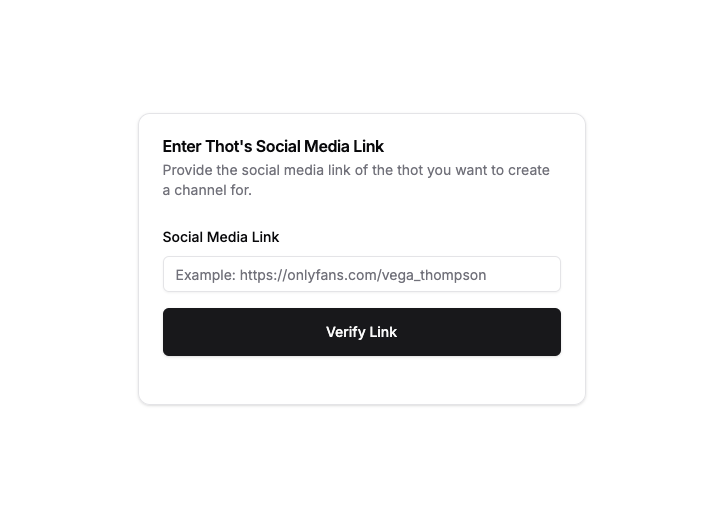
Supported Platforms:
- OnlyFans
- Fansly
- ManyVids
Make sure to use the direct profile URL from your platform of choice.
Note: If your platform isn't listed above, you can still create a channel - the information just won't be pre-filled automatically.
You can add more platform links in the next step
2
Submit Information
Fill in your display name and channel information
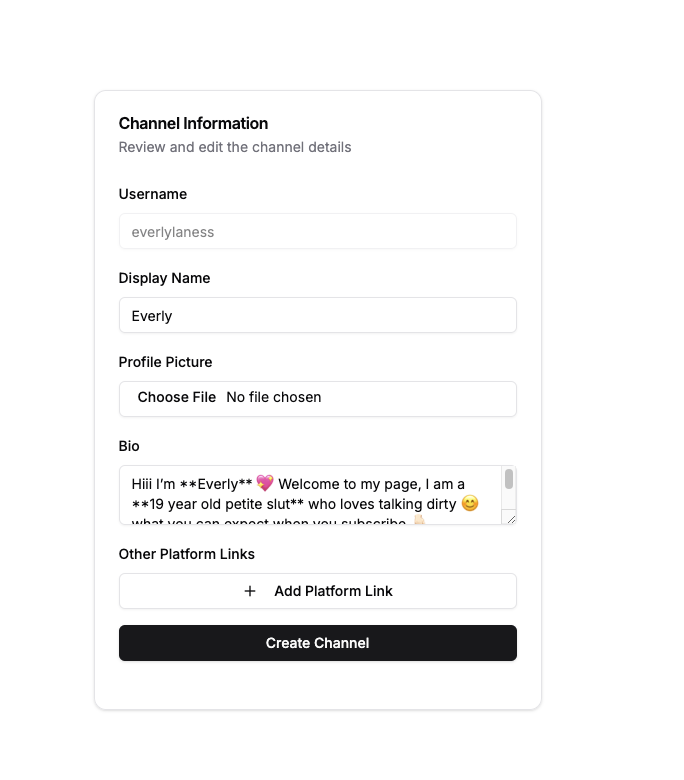
Example Submission Form
Channel Information
Example submission form
Important Notes
You can add additional platform links after creating your channel
Choose high-quality, clear images for your profile
GIFs are supported for profile images
Make sure your profile information is accurate and engaging
Frequently Asked Questions
Everything you need to know about creating channels
Need help creating a channel?
If you have questions about the channel creation process, contact our support team for assistance.